How We Build Software in the Age of AI


*This is the second piece in a series on the future of software. The first is Claude Code and The Rise of CLI The third is The Age of Disposable Software and One Person Company
The previous essay took a close look at one tool: Claude Code. The argument there was fairly contained — a specific AI product had chosen a specific interface (the terminal), and that choice turned out to be surprisingly powerful. CLI as a AI coding interface: case made.
This essay is about something larger.
It is about a new software ecosystem — one that’s changing how products get built, how they reach users, how they extend themselves, and how they compose with one another. The shift isn’t at the UI level. It runs all the way down to the question of what a “software product” even means.
Software Built for Humans
What does software mean?
Consider Photoshop. It is among the most powerful tools ever written for a personal computer, and among the most demanding to learn. That difficulty is not a flaw — it is what serious human-centric design looks like when taken to its conclusion. Every panel, every blend mode, every keyboard shortcut is an affordance for a human hand guided by human intention. The steep learning curve is almost a design statement: this software was built for a professional, and the professional was expected to rise to meet it. Mastery is the point.
An IDE — an Integrated Development Environment — is where software gets written. Think of it as a craftsperson’s workshop: everything needed to build is gathered in one place, arranged for the hands and eyes of whoever is working there. The file tree on the left is the shelving unit — every piece of your project organized and within reach. The central editor is the workbench — where the actual making happens. Syntax highlighting color-codes different parts of the code so human eyes can parse structure at a glance. Autocomplete anticipates what you’re about to type, compensating for human memory. The terminal at the bottom is the power tool bay — where you run and test what you’ve built.
The IDE is a well-equipped workshop, every tool neatly displayed, built to amplify your actions with you as the operator.
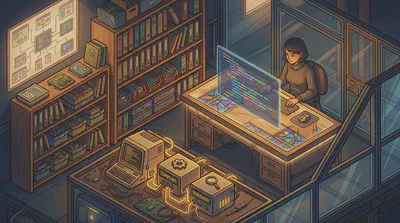
But notice something else about the IDE: it doesn’t spin up the development server when you finish writing. It doesn’t open a browser to check how your changes look. It doesn’t run the tests, push the code, or tell the deployment pipeline that something new is ready. It does its job — and stops there. The connections between writing code, running it, seeing it, and shipping it are yours to make. You switch windows. You type the commands. You are the pipe.
This is how software has always worked. Applications are designed for a human user and built to stand alone. They can be used together — a skilled developer might move fluidly across a dozen tools in a single afternoon — but the human is the glue. The integration layer is you.
These two assumptions ran so deep they were never really stated. Software is made for people. Software captures a set of functionalities but rely on human beings to move things between them. These two seemed less like assumptions and more like the definition of what software is.
AI has begun to question both.
Software Built for Agents
Every AI application fell into one of two categories. The first started with a chatbot — a conversational interface connecting users to a model, regardless of which one. And then it reached out to more tools and data sources. I call this extending AI. The second starts from a specialized tool: software with AI woven into its business logic, making a smarter version of something that already existed (embedding AI).
Both categories shared the same assumption: the end user is a human being, and the features live behind a GUI. When AI became widely accessible, it arrived in exactly this shape — browser tabs, polished interfaces, cloud compute behind a login screen. ChatGPT, Claude, Gemini: you opened a session, you typed, the model responded. AI had entered the SaaS era without disrupting the distribution model that came before it.
Claude Code launched as a research preview in early 2025, and it didn’t look like much: a terminal program, a blinking cursor, a connection to a model. No dashboard, no drag-and-drop, no graphical elements of any kind. But what it did was something neither category could comfortably account for.
It was a chatbot that could get things done — reading your codebase, running bash commands, editing files, managing git, fetching information from the web. That alone was already a significant leap. But the second thing it was is the paradigm-breaking one: Claude Code is itself a command that other applications can invoke to accomplish things. Not just a tool for humans to use, but a capability for software to call.
Claude Code chose not to be an IDE — and that choice matters. This was not obvious. Like many others, I started to use Claude Code inside an IDE, thinking that it is just a slightly different way to access Anthropic models in addition to the ones we already have in Cursor. But it is a different idea altogether.
The terminal interface hides details rather than surfacing them, because the person at the keyboard is no longer the primary operator.
You don’t need to edit your code! You don’t need to see the code!
The agent sees the code, reasons about what to change, and executes tools. In the new workshop, you have been promoted to supervisor. It is no longer your job to work with your hands. You direct a dozen eager apprentices. You plan, assign, check results, and integrate.
Put it another way: you no longer need to press the gas pedal, brake, or touch the steering wheel. You just need to navigate — provide a destination. For familiar routes, you need only name where you want to go.

Lessons from OpenClaw
Where does OpenClaw fit in the two-category framework? It is, unambiguously, a chatbot that gets things done. But it extends the idea in two directions that take it to its logical conclusion.
Developed by Peter Steinberger, OpenClaw is an open-source autonomous agent daemon that runs on your machine and talks to you through wherever you already communicate — Telegram, iMessage, Signal, WhatsApp, Discord, Slack.
The first innovation is almost obvious once stated: the chatbot interface isn’t a new thing you built — it’s the messaging app you already use. OpenClaw doesn’t ask you to install a new application or learn a new UI. The AI is just another contact in the conversation. No new mental model. No environment shift. Messaging and AI were always a natural fit; it just took someone to notice that the interface already existed.
The second innovation is less obvious but more consequential. A chatbot is a conversation — you open it, you wait, it responds, it’s over. An OpenClaw agent is a process. It runs on a machine that never stops. It has file system access, executes commands, calls APIs, and runs on a schedule. You can delegate a task and walk away — no need to stay at your desk, or even stay awake. This is what it means to take the productive chatbot to its logical conclusion: an agent that works on your behalf continuously, without requiring you to hold the conversation open.
The insight that connects OpenClaw to the broader architecture of this essay is how it was built. OpenClaw is itself a CLI — and it got its capabilities not by building everything from scratch, but by calling other CLIs. Claude Code had already packaged itself as a callable command; OpenClaw didn’t need to build model integration, it just invoked claude. The iMessage integration calls the system’s messaging CLI. One CLI calling another, each doing what it does best.
This is Unix composability in practice. A CLI tool doesn’t just avoid the interface problem — it joins the Unix ecosystem: a system where small programs do one thing well and talk to each other through pipes and calls. When OpenClaw enters this ecosystem, it inherits that property automatically. And because OpenClaw is itself a CLI, the same property runs in reverse: any tool in the ecosystem can call OpenClaw. The composability flows in both directions.
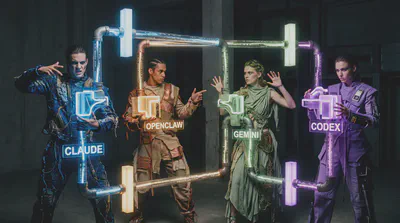
Inside a Claude Code session, you can invoke the OpenClaw CLI, the Gemini CLI, Codex CLI, or any agent that ships as a CLI — assembling a multi-vendor agent team without writing any orchestration infrastructure.
The Skill is the New App
An significant development of the AI application landscape is the introduction of a concept called skill in 2025. I have written a separate piece detailing how it works and comparing it with what came before, commands, subagents.
Skills first emerged as internal tool at Anthropic; then public release in October. In December 2025, Anthropic released the Agent Skills specification as an open standard. Within weeks, OpenAI adopted the same format for Codex CLI and ChatGPT. A skill you write for Claude now works on Codex; a skill for OpenClaw lives in the same format. Skills have become the first widely adopted cross-platform functionality of the AI application domain.
The numbers reflect how fast this happened. Claude Code’s extension ecosystem now includes over 9,000 plugins and extensions across Anthropic’s official marketplace and community repositories; each plugin tends to have multiple skills. OpenClaw’s ClawHub lists more than 5,400 skills. Vercel’s skills.sh hosts over 87k skills as the time of this writing. There are also uncountable number of GitHub repositories that offer production-ready skills spanning software engineering, marketing, compliance, and executive decision-making — the kinds of functions that, in the SaaS era, would have been separate products with separate logins and separate pricing pages.
What does a skill look like? A SKILL.md file: YAML frontmatter describing its capabilities, followed by natural-language instructions the agent follows when the skill is invoked. No app binary. No App Store submission. No installation wizard. You drop a folder into your skills directory, and the agent knows how to use it.
This is what software distribution looks like in the agentic era. Domain experts are writing skills the way bloggers write posts — low friction, high specificity, immediately composable with everything else in the ecosystem. These skills are distributed with minimal friction: no cost, instant download, ready to use.
This low entrance ticket has enabled a Cambrian explosion of expertise creation. Everybody has some skills to share, and they were stopped by the coding and application hurdle. Skill removed these hurdles. The craftsmen aren’t building applications anymore. They’re building capabilities.
The platform provides the shell; the community fills it with expertise.

What about MCP?
What about MCP, something that predates both skill and Claude Code and held great promises?
Anthropic released the Model Context Protocol on November 25, 2024, designed to solve what engineers called the M×N problem: connecting M AI models to N tools required M×N custom integrations — a combinatorial explosion of bespoke connectors. MCP proposed a single standard that collapsed this. Implement the protocol once on each side, and everything connects. The “USB-C for AI” wasn’t just marketing — it was a genuine architectural argument.
It worked. Within a year: 97 million monthly SDK downloads, 10,000 active servers, first-class support from ChatGPT, Cursor, Gemini, Visual Studio Code, Microsoft Copilot. In December 2025, Anthropic donated MCP to the Linux Foundation — the move you make when a protocol has become infrastructure, not a product feature.
But there’s a fault line running beneath that success.
I’ve taught MCP in workshops and built MCP servers myself. My feelings about it are complicated. The M×N insight is genuinely important. The protocol design, in principle, is elegant. And yet despite a quick start, the pace of adoption of MCP started to slow down mid-2025. Context bloating is the number one complaint from practitioners: every connected MCP server stuffs its full schema into the context window at startup, whether or not a single one of its tools gets called. In reality loading 6 or 7 MCP servers will eat considerable chunk of your useable context window.
These are engineering problems that are starting to get addressed. Claude Code has recently introduced lazy loading — deferring tool definition injection until a tool is actually needed, rather than eagerly hydrating the entire palette upfront. But lazy loading works because Claude Code owns the full execution loop; it decides when to expand context. Claude Desktop can’t easily replicate this, because a GUI host must surface the complete tool inventory to the user from the start. The fix is architectural, and it isn’t available everywhere yet. But they reveal the distance between MCP’s architectural premise — a universal connector — and what it actually takes to make the idea useful in practice.
Skill vs. MCP vs. CLI
CLI, Skills, MCP: none of these are built for direct human use. They are the agent’s native layer — software whose primary user is the AI. Their functionalities overlap just enough to create confusion, but they are not competing. They operate at different layers of the same stack and solve different problems:
- Skills are the instruction layer — they teach the agent in human language not only what to do but also how to think about using capabilities well.
- MCP is the access layer — structured, typed, client/server division of work. It gives the model the ability to reach a system (tool or resource): google drive, notion, slack, supabase. Optimized for correctness, authentication, and access control.
- CLI is the composition layer — Unix-native, training-data-rich, endlessly chainable. How an agent invokes and combines capabilities across the ecosystem.
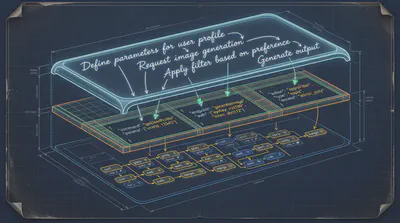
Treating these as substitutes is a category error.
Skills are the most accessible of the three layers to compose and distribute. A Skill is a Markdown file written in plain language — which means almost anyone can write one, and almost any agent can read one. That transparency also makes Skills an unprecedented learning resource: open any Skill and you can see exactly what the agent has been told to do.
But Skills have real limitations worth naming:
- They are static. Once written, a Skill doesn’t update itself. Like code, it reflects what its author knew at the time — and drifts from reality as the world changes.
- Triggering depends on intent matching. When multiple Skills are loaded, the agent must infer which one applies. This works well in isolation; with a large library, the wrong Skill can fire silently.
- Execution is at the mercy of model interpretation. A Skill can be thorough and still be applied unevenly across models or contexts. The instructions are a guide, not a guarantee.
- A Skill guides but cannot reach. It tells an agent what to do and how to think — but it cannot provide access to external systems. For that, you need a CLI, an MCP server, or a direct API call.
MCP is a protocol. It standardizes how tools are described, discovered, and invoked. What it doesn’t provide is composability — the ability for tools to chain, pipe, and combine dynamically the way Unix programs do. Unix solved this in the 1970s: pipes, redirects, find | grep | awk | sort. Small programs passing results to the next. MCP fits best where correctness and access control matter more than composability: identity systems, payments, DevOps, internal admin tooling. Structured, typed tool definitions that work reliably across models, with authentication baked in — that’s the right architecture for those domains.
CLI is not new — Unix is fifty years old. What is new is the strategic decision that established software products are now making: to join the CLI ecosystem, not just acknowledge it.
A GUI app isn’t callable. A web dashboard can’t be invoked from another tool’s process. If agents are the new primary users of software, CLI is the door you leave open for them.
The market has noticed. Obsidian shipped its official CLI in February 2026, free to every user — not to court developers, but because the demand was already there; users had been scripting against the vault for years, and the official CLI made it formal. GWS CLI, built by a Google engineer, gives command-line access to Gmail, Google Calendar, and Google Drive — integration that would previously have required an OAuth app, a web interface, and an app store listing. These aren’t niche developer tools. They’re established products making a deliberate bet.
Agents are becoming primary users of software, and CLI is how you make your product reachable to them.
What We Build in the Agentic Era
This essay has a confession buried in it. The question of what to build — Skill, MCP, or CLI — isn’t academic for me. It’s where this article started.
Macman is a project I’ve been building (yes, a wordplay on Pac-Man): it uses Claude Code to tweak macOS system settings, the kinds of adjustments that normally mean hunting through system menus (designed for humans) or editing config files (designed for engineers comfortable with plist syntax). Macman sits in the middle — natural language in, system changes out.
The first version had a chatbot UI. I spent real time on it: an input field, response display, session history, a status indicator. It looked like an app. It felt like an app.
Then I realized I was building the wrong thing.
The UI wasn’t the value. The domain knowledge was — knowing which preference setting maps to which system behavior, which plists to write, what changes are safe and what might break something. That expertise doesn’t need a human interface. It cannot be one. It is meant to be hidden — consumed by an agent, not navigated by a person.
Which means the chatbot wrapper isn’t needed either. Because we already have so many. If Macman runs as a CLI, OpenClaw and its many alternatives can invoke it directly. Every agent in the ecosystem gets access without any integration work. The capability goes where the agents are.
But you might object: why build anything at all? Claude Code already has powerful hands — why not just let it handle macOS configuration directly? It can, to a point. The trouble is that Claude Code still relapses into the old chatbot posture. You describe a problem; you get back a detailed, accurate breakdown of the steps you should take. And you find yourself typing: “just do it.” The instruction-giving habit runs deep. Claude Code sits uncomfortably between chatbot and agent, built to serve users who want guidance as much as users who want action. That tension is real and unlikely to disappear.
What Macman needs is something that steers Claude Code away from this default — a Skill that encodes three things the general-purpose agent doesn’t carry:
- Assured behavior: act, never instruct. If the system change can be made, make it.
- Encyclopedic macOS domain knowledge: the mapping between what users describe and the underlying system preferences that carry them out — richer and more opinionated than any technical documentation.
- UX-to-settings best practices: judgment about which changes improve experience and which might break something.
These three requirements point to three different owners. Model behavior should come from the model provider — it isn’t something that can be reliably steered by a system prompt alone. macOS knowledge should come from Apple, the ultimate authority on their own system. And the UX-to-settings best practices are a community project: accumulated judgment from people who know what good macOS configuration looks like. That last layer is the open-ended one — the part no single developer or company can supply, and the part most worth building toward.
So: should Macman be a CLI that any agent can invoke directly? Or a set of Skills that teaches Claude Code to accomplish user-oriented tasks? Or some combination — the Skill providing judgment, the CLI providing hands?
I don’t have a clean answer yet. And I’ve come to think that’s appropriate — the debate matters more than a premature solution.